
Join Our Discord:
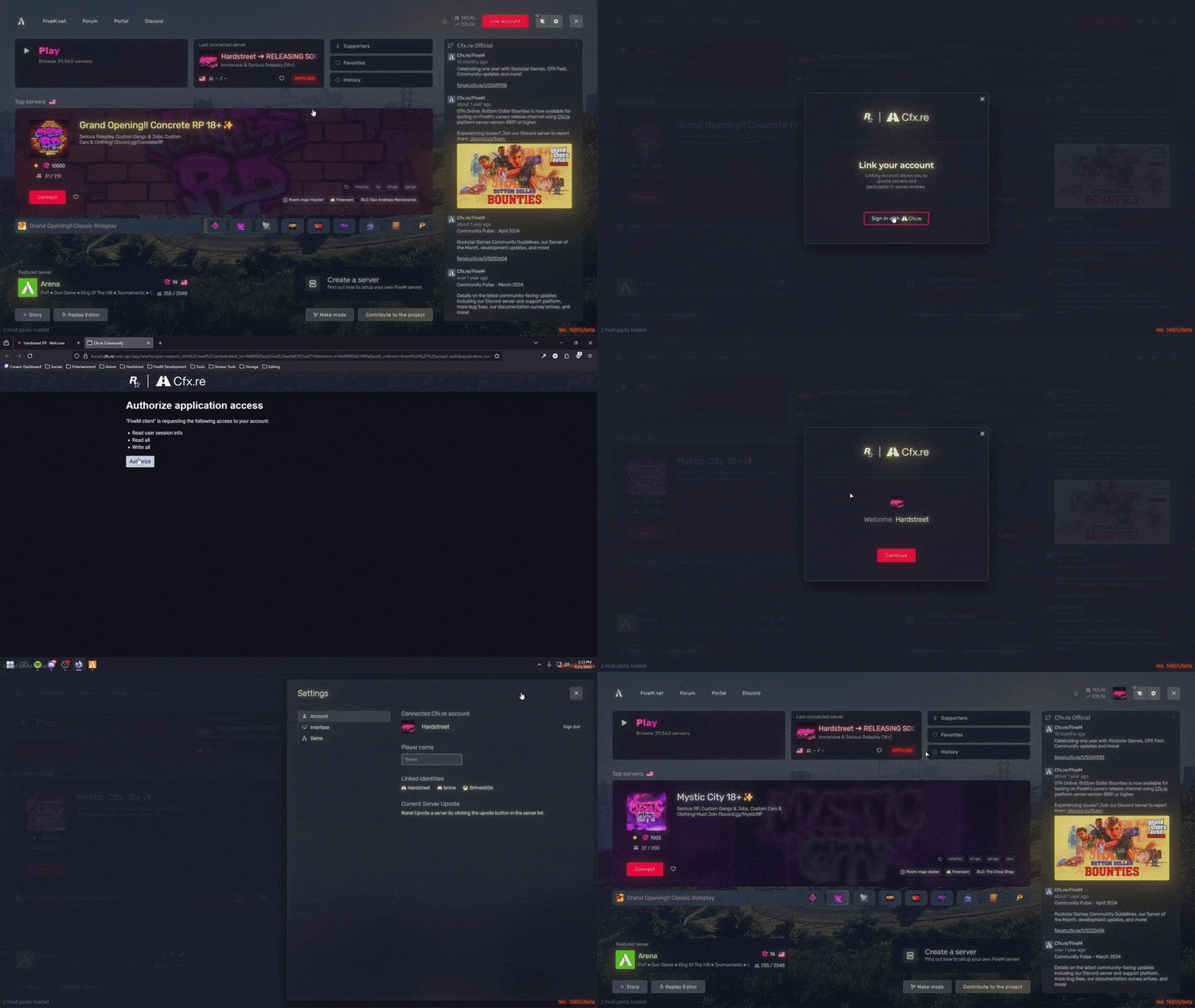
How to Link Your FiveM Account
Open FiveM and navigate to Settings.
Click the "Link Account" button.
You’ll be redirected to a webpage, close FiveM and click "Link Account" on the page.
Reopen FiveM, your account should now be linked!
Below you can see how it's done:
Support the Server
By supporting Hardstreet RP, you help keep our community thriving! However:
Donations do NOT grant immunity, breaking server or Discord rules will still result in consequences.
After purchasing, open a support ticket in our Discord under the #🎫│create-a-ticket channel and attach:
A screenshot of your receipt.
Your confirmation email.
⚠️ All transactions are final and non-refundable.
✨ Perks are a thank-you for supporting our community!
Important Reminders
Breaking Discord or Server rules may lead to a ban and loss of perks.
If you are absent from the server for more than 2 months without notice, your possessions/gang may be removed.
By contributing, you agree to our Terms of Service and acknowledge all sales are final.